USB camera modules are widely used in video conferencing systems, document scanners, industrial equipment, medical devices, smart terminals, educational hardware and embedded vision products.
One of their biggest advantages is often described as “plug and play”: connect the camera to a USB port, open the video software and start receiving images without installing a separate driver.
This convenience is usually made possible by UVC.
However, UVC compatibility does not mean that every camera module will work perfectly with every computer, Android device, Linux board or application. Before choosing a UVC camera module, developers should understand what UVC means, what affects compatibility and what still needs to be tested.
UVC stands for USB Video Class. It is a standard that allows compatible operating systems to recognize and communicate with USB video devices through a common driver.
A typical UVC camera module includes:
The sensor captures the image, while the ISP processes exposure, white balance, color, sharpness and noise reduction. The controller and firmware then transmit the video to the host device through USB.
Compared with a camera using a proprietary protocol, a UVC camera usually requires less driver development. This can shorten development time, reduce integration costs and make prototype testing easier.
UVC mainly defines how the camera communicates with the host. It does not automatically guarantee image quality, software compatibility, sufficient bandwidth or access to every camera function.
The short answer is: usually, but not unconditionally.
On many Windows, macOS and Linux computers, a correctly designed UVC camera can be recognized without installing a manufacturer-specific driver. Users can often connect the camera, open compatible software and receive video immediately.
However, successful operation still depends on:
This means that “driver-free” does not mean “testing-free.”
A camera may appear in the device list but fail to output the required resolution. It may work in one application but not another because the software does not support the selected video format.
The complete combination of camera, host platform, operating system and application should always be tested before mass production.
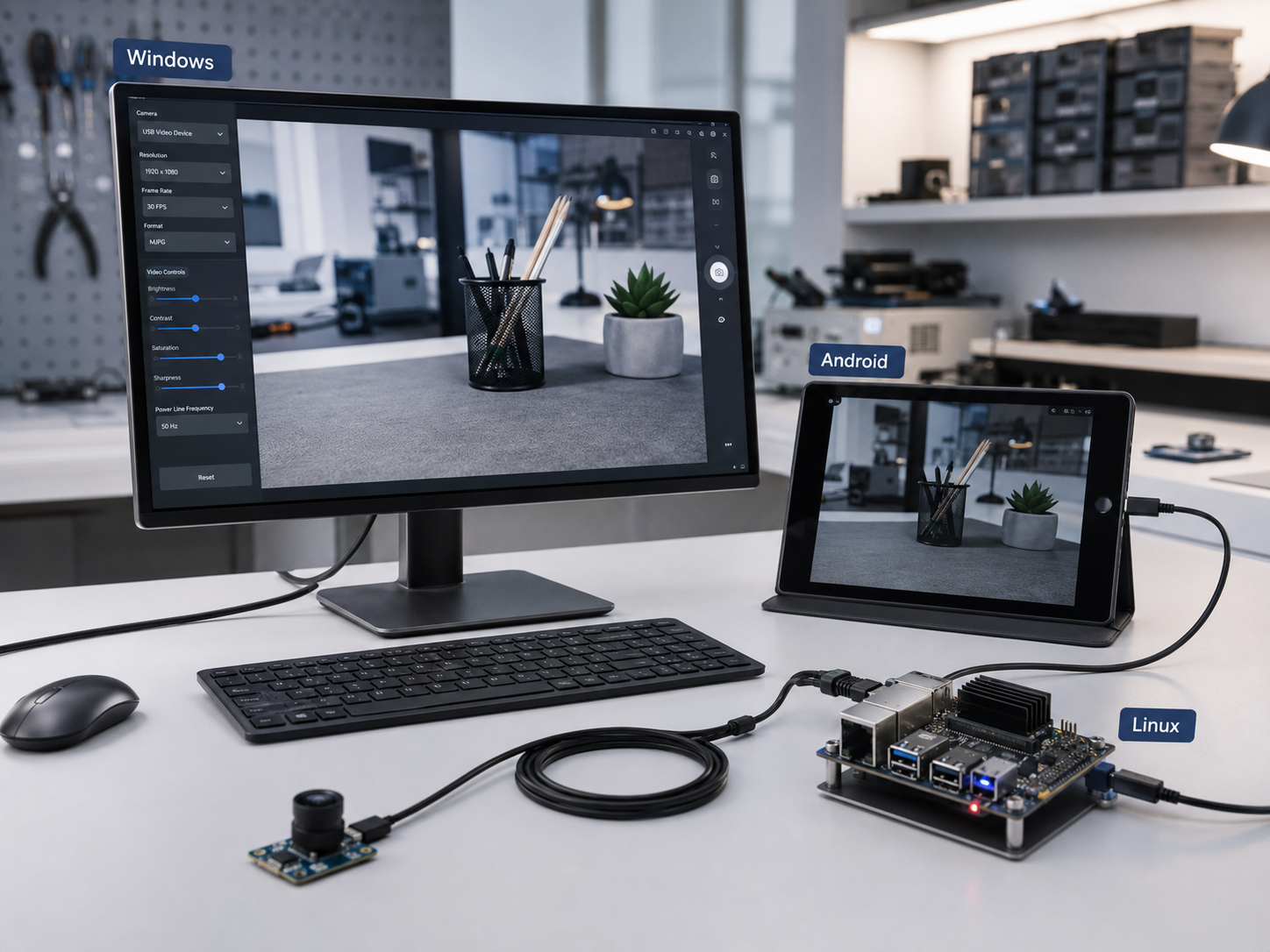
Windows generally provides native support for standard UVC cameras. This is why many webcams and USB camera modules work without a separate driver.
Problems can still occur when the software requests a video mode that the camera or USB interface cannot provide.
For example, a 4K camera may support 4K at 30 fps through MJPEG but only support a lower resolution or frame rate through uncompressed YUY2. If an application requests 4K YUY2 over USB 2.0, the required bandwidth may be too high.
For Windows projects, confirm:
Being recognized by Windows is only the first step. The required operating mode must also work reliably.
Linux commonly supports UVC cameras through the uvcvideo driver and the V4L2 framework. Developers can use V4L2-compatible tools to check the camera’s resolutions, formats, frame rates and controls.
However, compatibility may still depend on the Linux kernel, embedded board, USB controller, application and decoding performance.
A camera that works on a desktop Linux computer may behave differently on an embedded Linux board. The board may not decode high-resolution MJPEG fast enough, or its system image may not include the required UVC configuration.
Linux projects should therefore be tested using the same board, operating-system image and application planned for the final product.
Android compatibility requires more attention.
Whether a UVC camera works depends on the device manufacturer, Android version, USB host capability, system configuration and application.
Before using a UVC module with an Android device, confirm:
Some Android devices can detect a USB camera but cannot expose it to ordinary camera applications. Others require a dedicated application to access the video stream.
For a commercial Android product, testing the camera only on a personal mobile phone is not enough. Compatibility should be verified with the final motherboard and operating-system build.
A UVC camera may support several operating modes, such as:
These modes do not consume the same amount of bandwidth.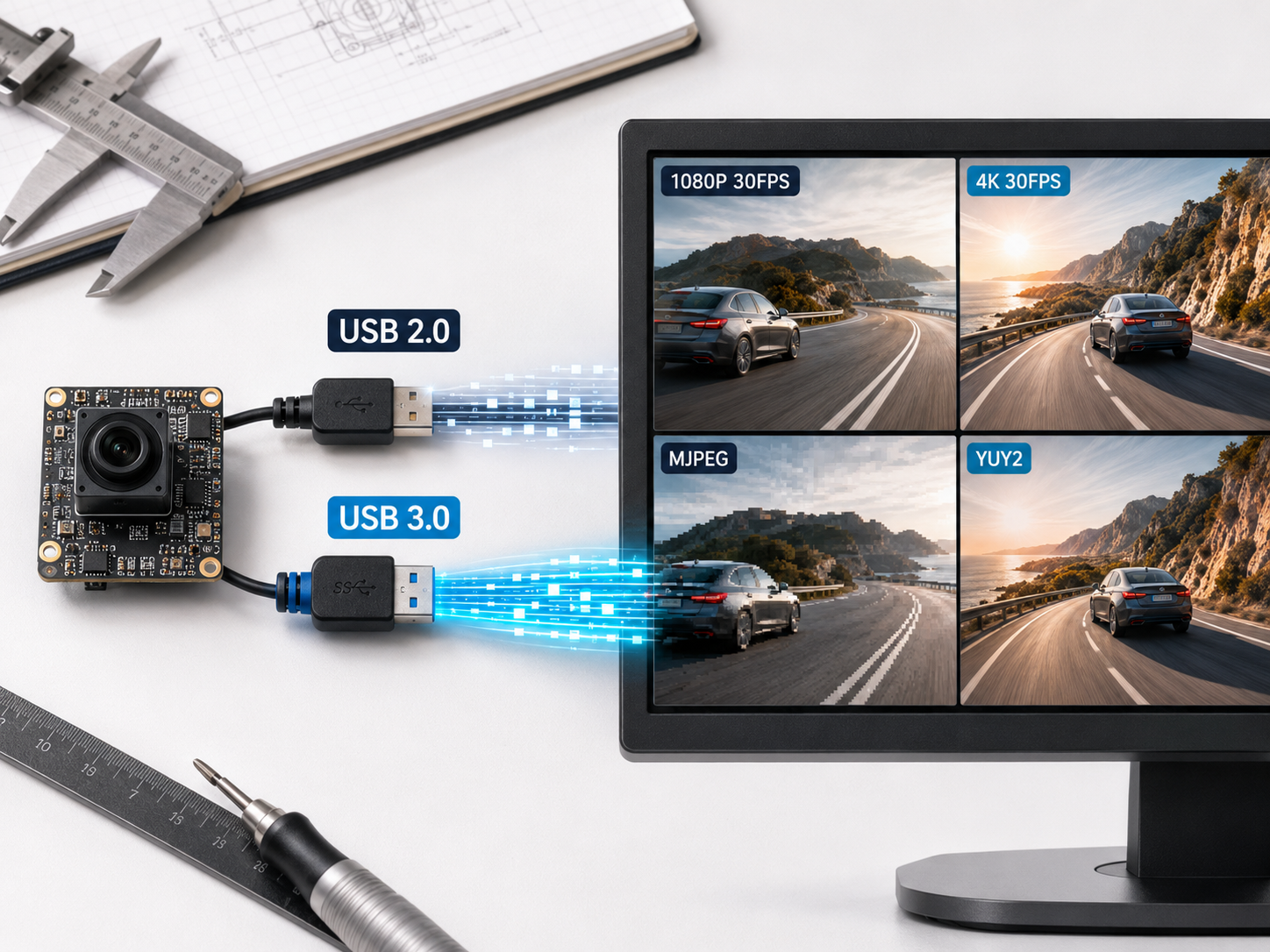
YUY2 is less compressed and can be useful for image processing, but it requires more USB bandwidth. MJPEG compresses each frame, making higher resolutions easier to transmit through a limited USB connection, although the host must decode the video.
For conferencing, preview and recording, MJPEG is often practical. Some machine-vision and image-analysis applications may prefer uncompressed video to avoid compression artifacts.
Do not select a camera based only on its maximum resolution. Confirm the complete combination:
Resolution + frame rate + output format + USB interface
For example, “4K supported” is not enough. The project must determine whether it needs 4K at 15 fps or 30 fps and whether that video is delivered through MJPEG, YUY2 or another format.
Depending on the hardware and firmware, a UVC camera may provide controls such as:
Not every camera supports every control.
Some projects may also require customized functions, such as LED control, manual exposure ranges, default image parameters or special operating modes. These functions may be implemented through customized firmware or UVC Extension Unit commands.
For branded or integrated equipment, the USB device name, manufacturer name, default resolution and other firmware settings may also need to be customized.
These requirements should be confirmed before prototyping because the customer’s application may need additional development to access customized controls.
A UVC camera can be recognized by the system and still experience unstable video, dropped frames, freezing or repeated disconnections.
Common causes include:
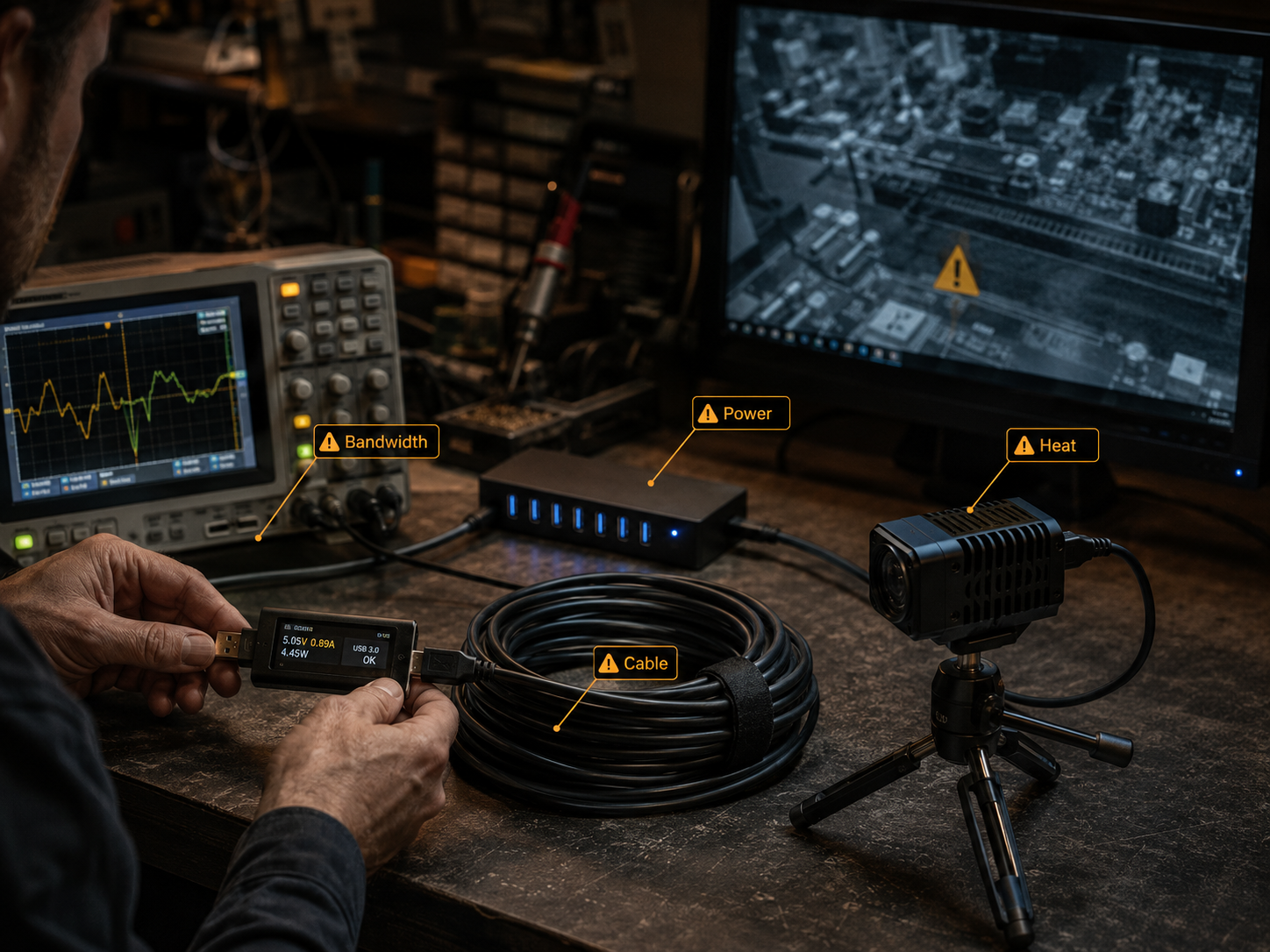
Cable length is especially important in industrial equipment. A module may work correctly with a short test cable but become unstable after installation with a longer internal cable.
When a project uses multiple cameras, long cables or operates in an electrically noisy environment, the complete USB connection should be evaluated—not only the camera PCB.
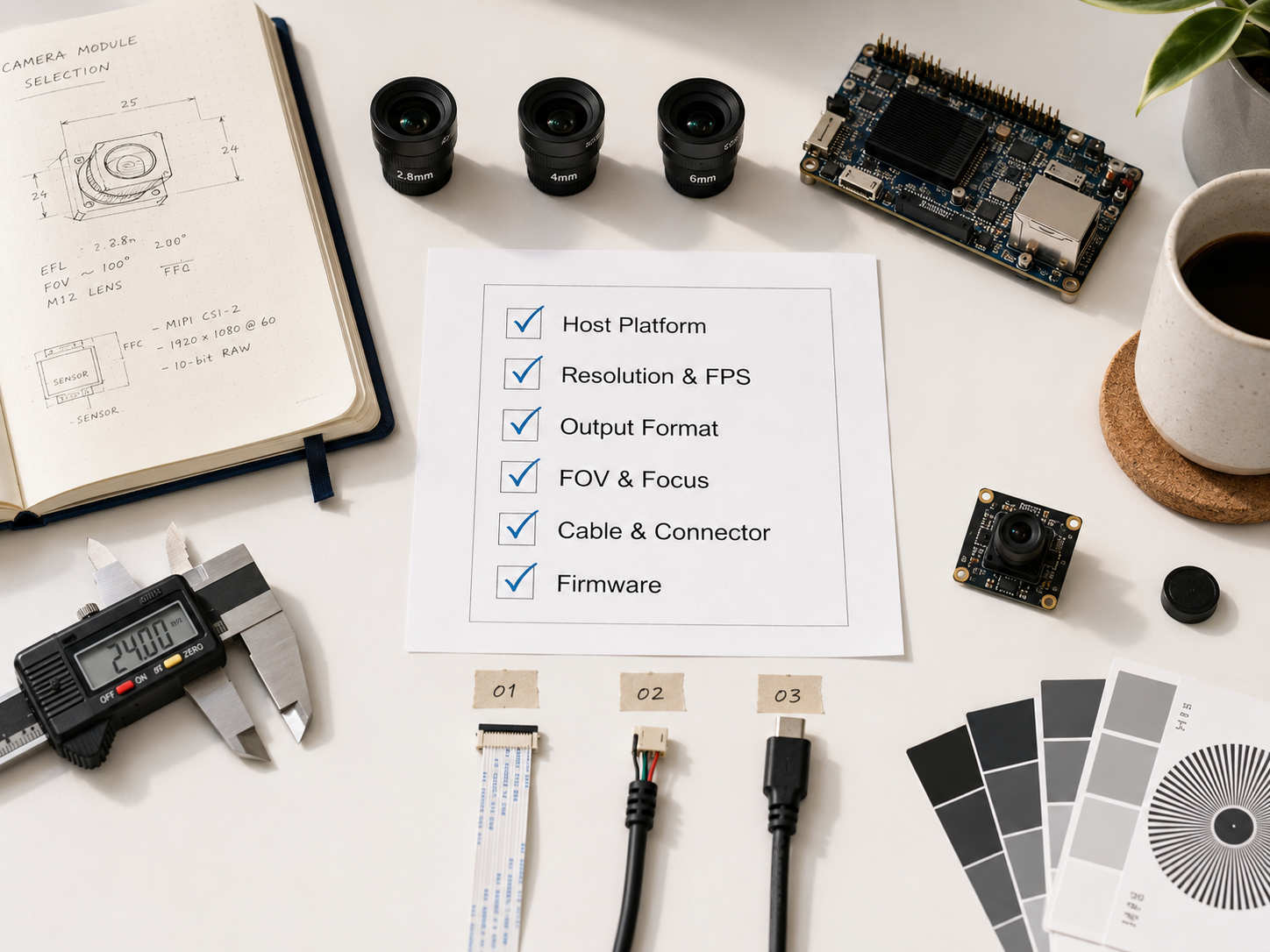
Before selecting or customizing a UVC camera module, prepare the following information:
Providing the motherboard model, operating-system version and application requirements helps the camera supplier evaluate compatibility more accurately.
Krieer provides UVC camera modules for industrial equipment, document scanners, educational hardware, medical devices, smart terminals, video systems and embedded vision applications.
Available customization options include:
UVC can simplify camera integration, but reliable plug-and-play performance still depends on the complete system.
Confirming the host platform, operating system, resolution, frame rate, output format, cable, power supply and software requirements before prototyping can reduce compatibility problems and shorten product development time.


